Building Your Own HealingOS — A Walkthrough

Before you start: what you're actually building
You're building a small, private workspace on your own computer where your medical story lives — in plain text files you control, paired with an AI that can read those files, hold the through-line across appointments, and help you translate between how you experience your condition and how your providers need to hear about it.
Two tools. A notes app called Obsidian, which stores everything as plain text files in a folder on your computer. And Claude (or another capable AI with knowledge base and memory — not the free tier, because you need the features that let it actually read your files and remember across sessions).
That's the whole stack. No apps to subscribe to. No platform to trust with your records. The data is yours, in a format that will outlive any tool you use to work with it.
Step 1 — Set up the container
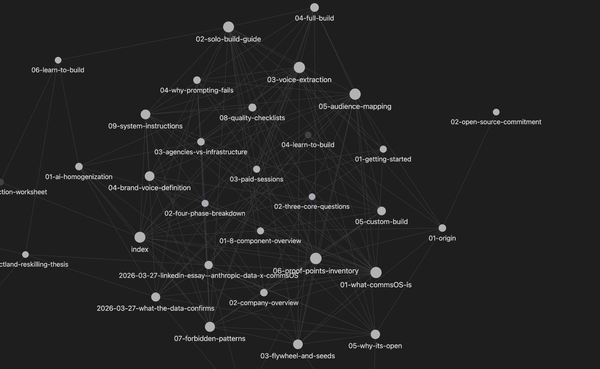
Install Obsidian. Create a new vault — that's just a folder on your computer where all your notes will live. Name it something that reflects what it's for. HealingOS. BodyLog. Whatever lands.
Inside that vault, make a small set of folders. You don't need to get this right the first time; you'll reshape it as you learn what you actually use. A starting structure that works for most people:
One folder for foundational documents — the files that describe where your body is right now. Another for daily logs — the short end-of-day captures. Another for provider communication — letters you've received, notes from appointments, drafts of messages. Another for imaging and records — copies of MRIs, lab reports, anything you've been given. And one for protocols — the decisions you've made in advance about how you'll handle predictable situations.
That's enough structure to start. Resist the urge to build the whole thing before you use it. The system only works if it grows from real use.
Step 2 — Write the baseline
This is the single most valuable document you will build, and it takes an afternoon.
Open a new file. Call it baseline. Write, in your own words, where your body is right now. Not your whole medical history — just the current state. What condition you're managing. When it started. What your most recent imaging or testing shows. What treatment phase you're in. What your primary symptoms are. What makes them worse. What makes them better. What the working theory is for why you feel what you feel.
Write it for a smart stranger who knows nothing about you. A new provider walking in cold. A version of yourself three months from now who has forgotten the details. The point of the baseline is that you never have to reconstruct this under pressure — in a first appointment, during a flare, in the middle of an insurance call.
Include a line at the top that says when it was last updated. That's your signal that this document is alive. When things change — new imaging, new diagnosis, new phase of treatment, resolution of something — you update the baseline and note what changed. You are building a living record, not a snapshot.
Step 3 — Design your daily capture
Here is where people go wrong. They build an elaborate tracking spreadsheet with twenty fields and abandon it in four days. The capture has to be short enough that a tired person at the end of a hard day will actually do it.
Five questions. Under two minutes. Same five every day. (note from cs: I built a /skill file for my claude that triggers these Qs every evening when I trigger it and then logs everything in my OS)
The questions depend on your condition, but the pattern is the same: one question about your primary symptom (pain level and location, or fatigue, or whatever your central marker is), one about any secondary symptoms you're tracking, one about what you did physically that day, one about what helped, and one about what's on deck tomorrow that might affect you.
Write those five questions as a template and save it. Each day, copy the template into a new file in your daily logs folder, named by date. Answer the questions. Save. Close.
No commentary during capture. No interpretation. No "I think this might be because…" Just the data. Interpretation happens later, with distance, ideally with your AI helping you surface patterns across weeks rather than days.
Single-day data is almost always noise. Patterns emerge across weeks. Trust the accumulation.
Step 4 — Connect the AI
Now you add the pattern recognition layer.
In Claude, create a Project. Projects are containers that let you attach files the AI can reference every time you talk to it, and that give you a dedicated memory space for that topic. Point the project at your baseline document and any other foundational files. Write a set of instructions for the project that describes what this space is for and, just as importantly, what it is not for.
Your instructions should cover:
- what your condition is,
- where the canonical reference lives,
- what role you want the AI to play,
- what tone you want it to use,
- and a clear list of what it should not do.
This last part matters more than people expect. The default behavior of most AI assistants is to be warm, encouraging, and suggestion-heavy. For a medical data layer, that's wrong. You want something closer to a careful scribe. Matter-of-fact. Precise. Capable of holding detail without editorializing. Does not cheerlead your logging. Does not offer medical advice. Does not try to reframe your symptoms as less serious than you reported them. Does not suggest you modify hard-won daily structures. Follows your lead.
Write those instructions once, carefully. You are defining the behavior of an assistant that will be present across every interaction in this project. It's worth an hour.
Step 5 — Establish the rhythms
Now you have a container, a baseline, a daily capture protocol, and an AI that knows the shape of your situation. The system only becomes valuable through use.
Two rhythms hold the whole thing together.
Daily. At the end of the day, answer your five questions. Save to your daily logs folder. That's it. Two minutes, every night. Resist the urge to do more.
Weekly. Once a week — many people pick Sunday — you open a conversation with your AI and ask it to pull the last seven days of entries and tell you what it sees. Pain trend. Symptom frequency. What helped, what didn't. What's coming up next week that you should prepare for. This is where the pattern recognition actually happens. You cannot see the shape of your week from inside the week. A tool that reads all seven days at once can.
That weekly review, over time, becomes the most clinically valuable document you have. It shows providers what they cannot see in a thirty-minute appointment. It gives you language for what you've been experiencing. It builds an evidence base for insurance authorizations. And it produces the data that lets you notice, eventually, that the third day after a particular kind of activity is always the worst day — something no appointment will ever catch.
Step 6 — Build the translation layer
At some point — usually within a few weeks of logging — you will have a provider appointment coming up. This is where the system earns its keep.
Ask your AI to help you prepare. It has your baseline, your recent logs, and your project instructions. It can produce a short summary of what's happened since your last visit, surface the questions you want to bring in, and help you draft a one-page document you can hand to a new provider so they don't have to piece your history together from scratch.
The same translation works in the other direction. When a provider tells you something complicated during an appointment, you write it down — even roughly — and later you work with your AI to clarify what was said, turn it into a note you'll remember, and add it to the record. The appointment stops being a lossy event and becomes data you get to keep.
This is the translation layer. Patient language in, clinical language out, when you need it. Clinical information in, patient-usable understanding out, when you need that instead.
Step 7 — Write your protocols before you need them
This is the piece most people skip, and it's the piece that matters most when things get hard.
Write down, in advance, what you will do in predictable situations. How you handle a flare. How you travel. How you communicate with clients or employers when your capacity drops. What counts as a red-flag symptom that sends you to the ER, not the log.
These decisions, made under calm conditions, become the protocols you follow automatically during the moments when you cannot think clearly.
Each protocol is a short file in your protocols folder. Flare levels and what each one triggers. Travel checklist. Escalation criteria. Insurance appeals playbook. You write them once. You refine them over years. You never have to derive them from scratch in the middle of a crisis.
Step 8 — Keep the sovereignty
The whole point of this build is that the data is yours. Protect that.
Everything lives in plain text files in a folder on your computer. Back that folder up — to an external drive, to an encrypted cloud service you control, to whatever makes sense for your threat model. The files are readable without Obsidian; they are readable without Claude. If either tool disappears tomorrow, your data still works.
Do not move your records into a platform that takes ownership of them. Do not let a health app become your primary record. Your record is the folder. The apps are just lenses.
When you share data with a provider, you share a document — not access to your system. You decide what leaves and what stays.
What this looks like after six months
A vault with a current, accurate baseline. Roughly 180 daily logs, short and honest. Twenty-ish weekly reviews, each one a little sharper than the last. A folder of provider communications that reflects an active, coordinated care team. A set of protocols that have been tested against real flares and real travel and real appointments, and that have been revised based on what actually happened.
You have become the coordinating intelligence across your own care. The AI is holding continuity. The data is yours. The patterns are visible. The translation runs both directions. And none of it depends on any single tool continuing to exist.
That's HealingOS. The same underlying pattern works for any personal OS — which is the larger point of our methodology. The condition, the craft, the business, the creative practice — each one is a domain that generates data, requires pattern recognition over time, and rewards a sovereign, portable, AI-augmented record. HealingOS is just the version of it where the stakes are your body.