researchOS Starter Guide
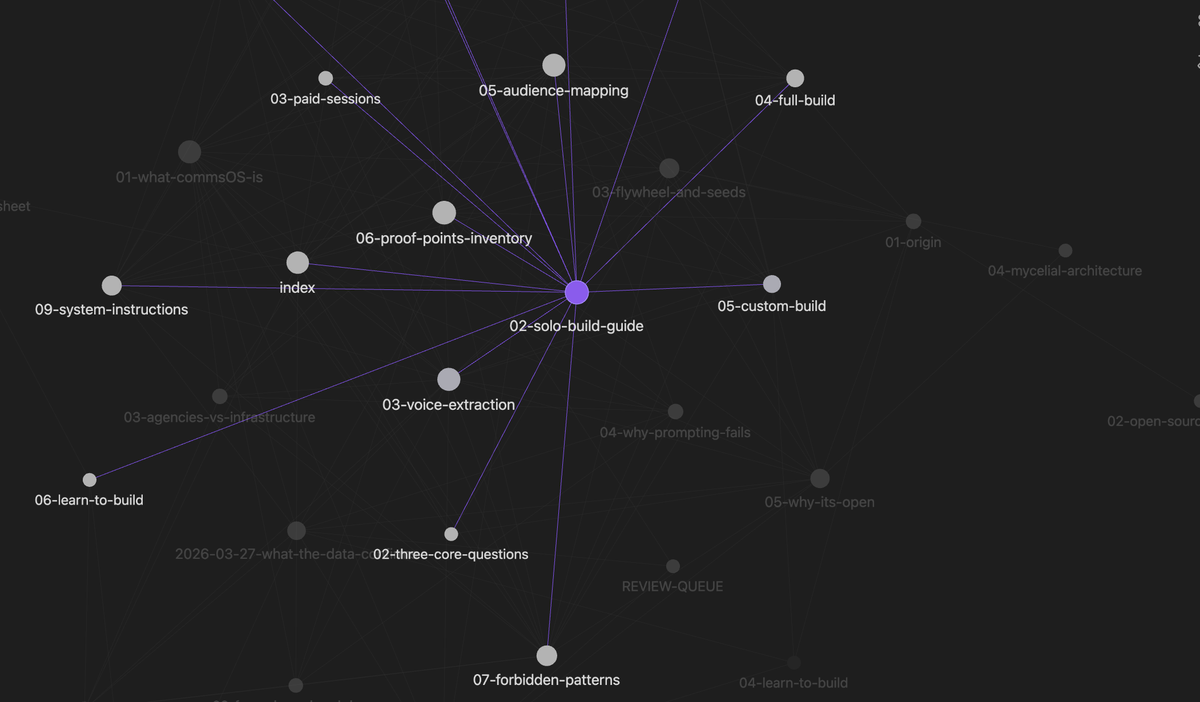
A personal knowledge infrastructure built on the CommsOS 8-component architecture, adapted for a solo researcher. This guide walks the build sequence from raw material to functional system. Please have an understanding and working knowledge of AI before using this guide.
We built our guides using Claude Chat & Cowork, but you can use any LLM you prefer. Each model functions differently, so you may need to adjust as you go. Best advice is to copy the sections that are Claude specific and run it through your AI for model context.
What this is
A starter system — structured enough to be useful, open enough to grow with the work. Not a full CommsOS organizational build. The architecture is the same; the scope is appropriate for a one-person research practice.
You do the work. The guide provides the sequence, the methodology grounding, and the structural patterns. Everything else — the research, the voice, the constraints — comes from your own material and judgment.
What it's for
Coherent AI-assisted work across:
- Field notes, interview transcripts, and observational data capture
- Academic writing (papers, thesis chapters, conference work)
- Grant narratives and funder communications
- Reports, white papers, and policy memos
- Public-facing writing about the research
- Long-term data gathering that needs to be analyzed across months or years
- Anything else where AI tools should sound like you, not like AI
The system encodes how you actually write and what you can credibly claim. It doesn't invent either.
The 8 components
The full CommsOS architecture has 8 components. The researchOS starter implements them at scale appropriate for a single practitioner:
- Practice overview — what your work is (lives in the lightweight build kit, never standalone)
- Reader and stakeholder sketch — who your work moves between (lives in the kit, never standalone)
- Voice extraction — how you actually write
- Proof points inventory — what you can claim, at what confidence
- Forbidden patterns — language and framing you refuse to use, with rationale
- System instructions — how the system loads when you sit down to work
- Research capture — sovereign storage for raw material
- Organization + YAML — vault structure and metadata
Components 1–2 stay in the lightweight build kit. Components 3–6 become standalone files. Component 7 is the research ingestion pipeline. Component 8 is mechanical assembly.
Build sequence
| Phase | Output | Time |
|---|---|---|
| Phase 0: Preparation | Source material folder + readiness verdict | 30–60 min |
| Phase 1: Lightweight Build Kit | lightweight-build-kit.md |
60–90 min |
| Phase 2: Research Capture | Populated research/ folder with YAML |
30–45 min setup, then ongoing |
| Phase 3: Voice Extraction | voice-extraction-v1.md |
90–120 min |
| Phase 4: Proof Points Inventory | proof-points-inventory-v1.md |
60–90 min |
| Phase 5: Forbidden Patterns | forbidden-patterns-v1.md |
60–90 min |
| Phase 6: System Instructions | system-instructions-v1.md |
45–60 min |
| Phase 7: Organization + YAML | Assembled vault with frontmatter and README | 15–30 min |
Total build time: roughly 6–10 hours of focused work. Can be done in a single extended session (if you have stamina and all source material ready) or spread across multiple sittings. Phases 0–3 establish voice and infrastructure. Phases 4–6 establish constraints. Phase 7 is assembly.
Before you start
- Claude Pro account (full context window required)
- Destination for outputs (Obsidian vault recommended; local folder works)
- Source material gathered per Phase 0 (writing samples, reference material, research material, constraint notes)
- Time blocked for the build — Phases 0–3 fit in two sittings of 2–3 hours, or four sittings of about an hour each. Phases 4–7 fit in a similar block.
How the system corrects itself
v1 will be wrong in places. By design. The correction loop:
- Produce something using the system
- Notice where the output is wrong
- Trace the error to the component — wrong voice → voice extraction; wrong claim → proof points; wrong language → forbidden patterns
- Update the component, increment the version number
- Repeat
The system is designed to be correctable, not perfect on first pass. Each correction makes future output more accurate.
What this is not
- Not a full CommsOS organizational build — no multi-voice construction, no brand voice decision trees, no audience mapping matrices, no company overview document
- Not a content production system — it's infrastructure that makes content production coherent
- Not finished when the vault is assembled — the system is alive when you use it and update it
- Not a substitute for your judgment — it encodes your decisions, it doesn't make new ones for you
Methodology source
Built on the CommsOS 8-component knowledge base architecture. Full methodology at commsOS.org. This starter guide adapts the architecture for a solo research practice.
Phase 0: Preparation
Time: 30–60 min gathering, 10 min readiness check. Mode: Solo. Output: Source material folder + readiness verdict confirming you can proceed to Phase 1.
What you're building toward
A single-voice researchOS for your research practice. The system encodes how you actually sound and what you can credibly claim — it doesn't invent either. Everything in Phases 1–7 derives from what you gather here. Thin Phase 0, thin system.
What to gather
Writing samples — 3 to 5 pieces, 1,000+ words each
Source corpus for voice extraction (Phase 3). The extraction needs to see how you actually write, not how you present yourself. Good candidates:
- Field notes and observational reflections from fieldwork — often where your real voice lives
- Thesis chapters, dissertation sections, or conference papers where you wrote the substance (not heavily co-authored sections)
- Long-form emails or memos where you're explaining your research substantively
- Grant narratives — only sections you wrote yourself, not boilerplate
- Blog posts, essays, Substack pieces, anything in your own voice about this work
- Internal reports or memos where you're analyzing data or findings
Do NOT use:
- Published papers that went through heavy peer review or advisor rewrites — that's a hybrid voice, not yours
- Abstracts (too compressed to show pattern)
- About-page copy or bios written for institutional contexts
- Anything ghostwritten or substantively edited by someone else
Rough is fine. Polished often masks voice. If your field notes or working memos are how you actually process observations, they're exactly what we want.
Reference material about your work
Feeds the lightweight build kit (Phase 1) and Proof Points (Phase 4):
- Project description or abstract
- Research questions / thesis framing / hypothesis statements
- Slide decks or one-pagers you've used to explain the project
- Methodology statements
- Institutional context (program, advisor, funder, research partnerships, IRB status)
Research material you're actively working with
Feeds Phase 2 (Research Capture):
- Field notes, datasets, interview transcripts, survey results, literature in current rotation
- Whatever is live right now — start with what exists, the system grows with the work
Domain-specific constraint material — flag now, document fully in Phase 5
Most research domains have hard constraints around consent, attribution, data handling, and knowledge sovereignty. You don't need to document these fully at Phase 0 — that's Phase 5 (Forbidden Patterns). But surface what exists so you don't lose track. Depending on your domain, this may include:
- IRB approvals, consent agreements, data use agreements
- Attribution protocols you've agreed to
- Topics or knowledge categories that are off-limits or context-restricted
- Naming conventions (real names, pseudonyms, collective attribution, anonymization rules)
- Confidentiality commitments to sources, subjects, or communities
- Data retention or deletion requirements
- Embargo periods or publication restrictions
If these aren't documented anywhere yet, note that — Phase 5 will capture them. The system can't encode constraints you haven't articulated, but Phase 0 just needs you to know they're coming.
Workspace
- Claude Pro account (full context window required)
- Destination for outputs (Obsidian vault recommended; local folder works)
- Source material in one place — uploadable as files or accessible to paste
Readiness check (run before starting Phase 1)
This is your self-review. Drop the prompt below into a fresh Claude session along with your gathered writing samples and reference material:
I'm preparing to build a single-voice researchOS for my research practice. Before I commit to Phases 1–3, please assess the material I've gathered:Voice samples — Do I have 3–5 pieces of authentic, unfiltered writing (not marketing, not heavily edited, not ghostwritten)? Flag any sample that looks like the wrong kind of source for voice extraction.Reference material — Is there enough here to sketch a Practice Overview in the lightweight build kit? What's missing?Domain constraints — Based on what I've shared about my research context, what claim boundaries and forbidden patterns will I likely need to document in Phases 4–5? Flag obvious gaps now so I can surface them when I get to those phases.Verdict: green light to proceed to Phase 1, yellow (proceed but with notes), or red (gather more before starting).
Be direct. If material is thin, say so. Don't proceed-and-hope.
Verdict logic:
- Green — move to Phase 1.
- Yellow — note the gaps and proceed; flag them during Phases 4–5.
- Red — gather what's missing before starting. Phase 1 cannot fix Phase 0 gaps.
Phase 1: Lightweight Build Kit
Time: 60–90 min. Mode: Solo, in Claude chat. Output: lightweight-build-kit.md
What the kit is
A single document that sketches the full researchOS at minimum viable depth before any standalone component gets built. It serves two functions:
- Map — shows what exists, what's missing, what needs work as you move into Phases 2–6.
- Permanent home for two sections that never get standalone files: your practice overview and your reader/stakeholder sketch.
Cover at minimum
- Practice overview — one paragraph. What work you do, methodology orientation, institutional and research context.
- Reader and stakeholder sketch — bullet level. Who your work moves between: academic peers, research subjects or communities, funders, advisors, institutional review boards, public audiences, anyone else visible in your material. What each needs from your work.
- Proof points sketch — what you can credibly claim, at what confidence (high / medium / low / cannot claim yet). Include cannot-claim items where they matter.
- Forbidden patterns sketch — vocabulary, framing, and register patterns you refuse to use, each with a short rationale. Most research domains carry known constraint territory — surface what's visible now; full work happens in Phase 5.
- System instructions sketch — how the system should load when you sit down to work. Which components load for which task type (writing a paper, ingesting field notes, drafting a grant section).
Why this gets built first
Standalone components can't be built in isolation. Voice extraction (Phase 3) needs forbidden patterns sketched as guardrails. Proof points (Phase 4) need reader context before confidence levels mean anything. Forbidden patterns (Phase 5) need practice context to ground the rationale. System instructions (Phase 6) need all of the above to know what to load.
The kit holds it all in one place at low depth so the build can move forward coherently.
What becomes standalone, what stays in the kit
| Kit section | Becomes standalone in | Kit role after standalone exists |
|---|---|---|
| 1. Practice overview | Never | Authoritative; update when practice changes |
| 2. Reader and stakeholder sketch | Never | Authoritative; update when work shifts |
| 3. Proof points sketch | Phase 4 | Cross-reference; standalone is authoritative |
| 4. Forbidden patterns sketch | Phase 5 | Cross-reference; standalone is authoritative |
| 5. System instructions sketch | Phase 6 | Cross-reference; standalone is authoritative |
The kit stays alive as the high-level map even after the standalones exist.
To run it
Start a fresh Claude chat. Load your Phase 0 source material (writing samples, reference material, any constraint notes). Then paste the prompt below.
I'm building the lightweight build kit for my researchOS — a single-voice personal knowledge system for my research practice. I've loaded my source material above.
Produce a single markdown document that sketches all five sections at minimum viable depth:Practice overview — one paragraph. What work I do, methodology orientation, institutional and research context. Ground this in my reference material.Reader and stakeholder sketch — bullets. Who I write for and what they need from my work. Include academic peers, research subjects or communities, funders, advisors, and any other groups visible in my material.Proof points sketch — what I can credibly claim and at what confidence (high / medium / low / cannot claim yet). Include cannot-claim items where relevant.Forbidden patterns sketch — vocabulary, framing, and register patterns I should refuse to use. Each prohibition needs a short rationale, not just a word list. Surface what's visible from my material; I'll document the full set in Phase 5.System instructions sketch — how the system should load when I sit down to work. Which components load for which task type (writing a paper, ingesting field notes, drafting a grant section).
Keep each section short. This is the map, not the territory. Standalone components get built in later phases — your job is to give me a working sketch I can use immediately and refine through the build.
Components that get built standalone in later phases
- Voice Extraction (Phase 3) — how I actually write, observed from text
- Proof Points Inventory (Phase 4) — what I can claim, at what confidence
- Forbidden Patterns (Phase 5) — language and framing I refuse to use, with rationale
- System Instructions (Phase 6) — how to load and use this system with AI tools
Phase 2 (Research Capture) is infrastructure, not a knowledge component. Phase 7 (Organization + YAML) is mechanical assembly.
Phase 2: Research Capture
Time: 30–45 min initial setup, then ongoing as material enters. Mode: Solo. Manual or AI-assisted file stamping. Output: Populated research/ folder with YAML-stamped source material and a documented intake protocol.
What this is
The ingestion pipeline for your raw research material. A zero-alteration zone — AI touches nothing except adding YAML frontmatter for retrieval. Content stays exactly as you captured it.
This matters for any research practice that operates under ethical or legal protocols governing how data gets handled — IRB requirements, source confidentiality, consent agreements, data use restrictions, knowledge sovereignty commitments. Those protocols are yours to enforce. The system's job is to make enforcement structural, not dependent on remembering to be careful in the moment.
What goes in
- Field notes, interview transcripts, observational data
- Literature references, source documents, archival material
- Raw data in any format (spreadsheets, survey exports, audio/video references)
- Notes-to-self, hunches, emerging patterns
What does NOT go in
- Drafted writing (essays, papers, posts) — those live elsewhere
- Anything that's already been processed, synthesized, or rewritten — capture the source, not the synthesis
- Material you haven't confirmed you have permission to hold digitally — protocol check happens before ingestion, not after
Folder structure — starter
research/
├── field-notes/
├── literature/
├── data/
└── scratch/        # hunches, fragments, things that don't have a home yet
Add subfolders as categories emerge. Don't pre-build structure for material that doesn't exist yet. Common additions as the work grows: interviews/, archival/, transcripts/, surveys/, media/.
File naming convention
YYYY-MM-DD--[type]--[short-descriptor].md
Examples:
2026-04-21--field-note--site-visit-observation.md2026-04-21--transcript--interview-subject-pseudonym.md2026-04-21--literature--smith-2019-methodology-review.md
Date-first means chronological sort works automatically. Type-second means folder browsing groups by kind. Short-descriptor last keeps filenames legible without becoming summaries.
For sensitive material with naming protocols (e.g., pseudonyms required, codes instead of identifiers), the descriptor field is where that protocol gets applied. Real names never go in filenames if attribution or confidentiality rules forbid it.
YAML frontmatter — minimum schema
---
title: ""
date_captured: YYYY-MM-DD
source: ""              # where this came from (location, person/pseudonym, document)
type: ""                # field-note | transcript | literature | data | observation | scratch
tags: []                # see tag conventions below
status: raw             # raw | reviewed | integrated
access_constraints: ""  # protocol notes: who can see this, sharing rules, attribution requirements
notes: ""               # anything else worth capturing about the file itself
---
The access_constraints field is structural — it's not optional and it's not a notes-line afterthought. Every file with ethical, legal, or protocol constraints attached gets the constraint named in this field. When you load research material into a Claude session later, this field is what tells you (and any reviewer) what's safe to surface and what's not.
Common constraint patterns: IRB-restricted, pseudonym-required, confidential-source, embargo-until-[date], community-review-required, public-ok, co-author-approval-needed.
Tag conventions
Tags are how you find things later. Without convention, they're noise.
Suggested starter pattern:
- Topic tags — what the material is about (e.g.,
#labor-practices,#migration,#curriculum-design) - Method tags — how it was captured (
#participant-observation,#semi-structured-interview,#survey,#archival) - Status tags — where it sits in your process (
#needs-followup,#cited-in-chapter-3,#pending-review) - Constraint tags — protocol shorthand (
#confidential,#public-ok,#embargoed,#consent-limited)
Pick a small set and stay consistent. Six well-used tags beat thirty inconsistent ones.
To run it (initial stamping)
For files you already have, the fastest path is AI-assisted stamping. Drop the prompt below into a Claude chat with a batch of source files attached:
I'm setting up the research/ folder for my researchOS. I've attached [N] source files. For each file:Add YAML frontmatter using the schema below — do not alter any content in the file body.Generate a filename using the patternYYYY-MM-DD--[type]--[short-descriptor].md.Suggest folder placement (field-notes/,literature/,data/, orscratch/).Flag any file where you cannot confidently determine source, type, or access_constraints — I'll fill those in manually.
YAML schema:
Output: each file with YAML prepended, named correctly, with placement suggested. Do not summarize, clean up, or rewrite any file body. The body is sovereign.
For ongoing capture (new field notes, new transcripts entering the system), the same prompt works one file at a time. Or stamp manually — the schema is small enough.
Relationship to Phase 0 and Phase 3
The research/ folder and Phase 0 writing samples can overlap. A field note is both a research artifact (Phase 2) and a candidate voice sample (Phase 0/3). Two ways to handle this without duplicating files:
- Single-source approach — keep field notes in
research/field-notes/and reference them from Phase 3 via path. The voice extraction analyzes them in place. - Working-copy approach — keep originals in
research/, copy a clean version to a Phase 3 working folder for voice analysis. Originals stay sovereign.
For the v1 build, single-source is simpler. Switch to working-copy if voice analysis starts wanting to mark up the source.
Phase 3: Voice Extraction
Time: 90–120 min. Mode: Solo, in Claude chat. Output: voice-extraction-v1.md
What this is
An analytical document describing how you actually write. Not how you think you write — how the text shows you write. This is the core analytical work of the build, and the component most likely to be wrong on first pass.
The extraction is observed from real text. It is not generated from descriptions, aspirations, or self-report. Load your writing samples and let the analysis emerge from the patterns in the material.
Six dimensions of analysis
- Compositional architecture — how you structure pieces. Opening moves, transitions, section logic, how you close. Do you front-load conclusions or build toward them? Do you use headers, or flow in prose? Where do paragraph breaks fall?
- Formatting behaviors — what bold, italics, lists, fragments, headers do functionally in your writing. Not just "uses bold" but "uses bold for terms being defined, not for emphasis."
- Vocabulary inventory — the domains you pull from, how you move between them, what you reference and what you don't. Technical vocabulary, metaphor domains, cultural or disciplinary references.
- Emotional register — your default mode, how vulnerability functions when it appears, how humor functions when it appears. Is the baseline analytical, observational, argumentative, contemplative?
- Sentence-level mechanics — length patterns, constructions you favor, punctuation habits, how you use fragments. Do you write in long periodic sentences or short declaratives? Em-dashes or colons? Semicolons at all?
- Signature moves — patterns specific to you. Not "writes clearly" — the actual things that make your writing identifiable as yours. The tic, the return, the move you make three times per piece without noticing.
How to run it
Load all your writing samples into a fresh Claude chat. Then paste the prompt below:
I'm building the voice extraction component of my researchOS. I've loaded [N] authentic writing samples above, each 1,000+ words.
Analyze my voice across these six dimensions, observed from the text (not from any description I might give you):Compositional architecture — how I structure piecesFormatting behaviors — what bold, italics, lists, fragments do functionallyVocabulary inventory — domains I pull from, how I move between themEmotional register — default mode, how vulnerability and humor functionSentence-level mechanics — length patterns, constructions, punctuation habitsSignature moves — patterns specific to me, not generic "writes clearly"
For each dimension, cite specific examples from the samples. Then produce a consolidated voice profile that includes:Positive patterns ("always does X")Negative constraints ("never does Y")Context-dependent patterns ("does X in long-form, doesn't in emails")AI loading instructions — how an AI tool should use this profile when drafting in my voiceValidation questions — checks I can run on AI-generated output to catch voice drift
Be specific. Generic observations about "clarity" or "precision" are not useful. The extraction is valuable only to the extent it captures what's actually distinctive about how I write.
Your job
Claude will get 70–80% right. The remaining 20–30% is where your judgment matters:
- "No, I don't actually do that — that sample was atypical"
- "You missed this thing I always do"
- "This is accurate but context-dependent — I only do it in field notes, not formal writing"
- "This is a pattern I'm trying to break, not one I want encoded"
Your corrections are where the real calibration happens. Plan on at least one revision pass after the first extraction.
Output structure
The final document should include:
- When this voice writes — contexts where this voice is authoritative (vs. contexts where a different register takes over, e.g., formal academic publication vs. personal blog)
- Complete six-dimension analysis — the extraction itself
- Negative constraints — what the voice never does
- Positive patterns — what the voice always does
- Context-dependent moves — patterns that vary by format
- AI loading instructions — how to use this file when prompting AI tools
- Validation questions — checks for voice drift in AI output
A note on extraction quality
Extraction from source documents produces better results than extraction from descriptions. If you find yourself answering Claude's questions about your voice in prose rather than pointing at examples in the samples, something has gone wrong. Return to the text.
Phase 4: Proof Points Inventory
Time: 60–90 min. Mode: Solo, in Claude chat. Output: proof-points-inventory-v1.md
What this is
The credibility architecture. Every claim your research practice can make, with the evidence that supports it and the confidence level you're willing to attach to it. The Proof Points Inventory is the mechanism that prevents overclaiming — a default failure mode for researchers under pressure to pitch, publish, or fundraise.
Most research practices overclaim by accident. The inventory makes the boundaries structural.
Confidence levels
- High — documented, verifiable, you'd put it in a grant application, a peer-reviewed article, or under oath. Evidence is public or reproducible.
- Medium — real experience, defensible but not formally documented. You'd say it in a conference presentation but might hedge in print.
- Low — emerging, directional, honest about where you are. Language like "preliminary findings suggest" or "early indications."
- Cannot Claim — things you don't do, haven't done, or can't back up yet. Explicit and named.
For each claim area, document
- The claim — stated clearly, in a form you'd use in writing
- Evidence — what supports it (publications, datasets, documented experience, institutional affiliation, credentials)
- Confidence level — high / medium / low / cannot claim
- Permitted language at this level — phrases you can use at this confidence; phrases you cannot
- What would change the confidence level — what evidence would promote a Low claim to Medium, or a Medium to High
Claim categories to inventory
Not all apply to every research practice. Walk through these and document where you have claims:
- Identity claims — who you are professionally (researcher, ethnographer, analyst, journalist, practitioner) and what that entitles you to say
- Methodological claims — what methods you've used, under what conditions, with what rigor
- Findings claims — what your research has produced, at what stage of validation
- Expertise claims — what domains you can speak authoritatively in, and the boundaries of that authority
- Institutional claims — affiliations, appointments, funding, peer recognition
- Relational claims — research partnerships, community relationships, collaborator credentials
- Impact claims — how your work has been used, cited, applied — with specific evidence
- Future-state claims — what you're working toward, clearly distinguished from what you've done
Why cannot-claim lists matter
The default is overclaiming. In most research contexts, overclaiming isn't just an intellectual problem — it carries real consequences:
- Misrepresenting the scope of expertise damages credibility when the ceiling becomes visible
- Overstating the stage of research (claiming findings that are actually hypotheses) creates accountability problems when the work gets challenged
- Claiming community relationships or insider status you don't hold carries ethical weight
- Conflating preliminary with validated results breaks trust with funders, peers, and subjects
The Proof Points Inventory is where these boundaries get written down so they don't have to be held in working memory under pressure.
To run it
Start a Claude chat. Load your reference material, the lightweight build kit (for reader/stakeholder context), and any CVs, bios, or institutional documents. Then paste:
I'm building the proof points inventory for my researchOS. Based on the material above, produce a draft inventory using the structure below.
For each claim area, give me:The claim, stated clearlySupporting evidence from the material (cite specifically)Confidence level (high / medium / low / cannot claim)Permitted language at this levelWhat would change the confidence level
Cover identity claims, methodological claims, findings claims, expertise claims, institutional claims, relational claims, impact claims, and future-state claims.
End with an explicit Cannot Claim list — things I should never say given my current evidence base. Be strict. Where you're unsure whether I can claim something, put it in Low or Cannot Claim, not Medium.
The goal is an inventory that prevents me from overclaiming under pressure. Err toward conservatism.
Your job
Review the draft with a hard eye. The most common failure mode is that Claude will calibrate too generously. Move claims down a level when the evidence is thinner than it first looks. When in doubt, add it to Cannot Claim with a note about what would change that.
Phase 5: Forbidden Patterns
Time: 60–90 min. Mode: Solo, in Claude chat. Output: forbidden-patterns-v1.md
What this is
Language and framing you refuse to use, each with a documented rationale. Not a style guide of preferences — a constraint document of prohibitions. The rationale is what makes each prohibition hold up when edge cases come up.
Categories to document
Vocabulary prohibitions
Words and phrases that contradict your positioning, default to generic academic or marketing language, or carry domain-specific baggage. Every prohibition needs a rationale.
Common candidates across research domains:
- Generic academic hedging that drains the writing of meaning ("it could be argued that...")
- Marketing or consultancy vocabulary that leaks into research writing ("leverage," "impactful," "best practices" where unexamined)
- Domain-specific terms that flatten distinctions your research is trying to preserve
- Jargon you use in-field but shouldn't use in public-facing work
- Terms that carry political or disciplinary baggage you don't want attached to the work
Framing prohibitions
Structural patterns that undermine the work. These are harder to catch than vocabulary because they operate at the level of argument architecture. Common candidates in research contexts:
- Savior framing — positioning the researcher as rescuing subjects from their own context
- Extraction language — treating human subjects or communities as sources to be mined
- Deficit framing — defining communities, subjects, or phenomena by what they lack rather than what they do
- Methodological overreach — claims whose confidence exceeds what the methodology can support
- Premature generalization — applying findings from a specific context to a broader population without justification
- Statistical overclaiming — describing correlations as causes, effect sizes as meaningful without context, or significant findings as consequential
- False insider status — claiming proximity to a community, discipline, or practice you don't actually hold
- Romanticization — treating subjects or communities as uncomplicated, virtuous, or pre-political
- Pathologization — framing normal human variation as dysfunction
- Context collapse — flattening distinct communities, cases, or phenomena into a single category for rhetorical convenience
Not all apply to every research practice. The work here is identifying which apply to yours, and why.
Register violations
When the wrong tone appears for the context:
- Academic register bleeding into public-facing work (obscuring rather than explaining)
- Personal or emotional register bleeding into formal methodology sections
- Grant-speak ("transform," "revolutionary," "paradigm-shifting") in research writing
- Casual tone in contexts requiring formality, or vice versa
Every prohibition needs a rationale
Not "don't say this" — "don't say this because it does X, which contradicts Y."
Example structure:
Prohibited: "stakeholders" Rationale: Flattens distinct roles (subjects, funders, advisors, communities) into an undifferentiated category. The distinctions matter to my methodology; using "stakeholders" erases them. Use instead: Name the specific group. If a general term is needed, "parties involved" or "the people the work concerns" depending on context.
The rationale is what makes the prohibition stick when someone (including you under deadline pressure) wants to override it.
Pattern addition protocol
The list grows over time. Every time you catch a forbidden pattern in your own output — or in AI-generated output using your system — document it:
- Note the pattern
- Write the rationale (why it fails)
- Specify the fix (what to use instead, or how to reframe)
- Add to the forbidden patterns file, increment version
This is how the system learns. The first version will miss things. The pattern addition protocol is what makes subsequent versions better.
To run it
Start a Claude chat. Load the lightweight build kit, proof points inventory, voice extraction, and any samples of writing that made you wince (your own or others'). Then paste:
I'm building the forbidden patterns component of my researchOS. Based on the material above, draft a forbidden patterns document with three categories: vocabulary prohibitions, framing prohibitions, and register violations.
For each prohibition, give me:The prohibited word, phrase, or patternRationale — why this fails, specificallyWhat to use instead (or how to reframe)Detection signal — what to look for in AI-generated output to catch this pattern
Lean on framing prohibitions common in research contexts (savior framing, deficit framing, methodological overreach, premature generalization, extraction language, false insider status, romanticization, context collapse) and identify which apply to my practice based on the material above.
End with a pattern addition protocol I can use to grow this document over time.
Phase 6: System Instructions
Time: 45–60 min. Mode: Solo, in Claude chat. Output: system-instructions-v1.md
What this is
The operational layer. How the system loads when you sit down to work. Without this component, the other components are documents on a shelf — loading them requires remembering what's available and what's relevant for each task. System instructions make the loading mechanical.
Contents
File index
Every file in the system: filename, what it does, where it lives, when it was last updated, version number. This is the directory the rest of the system references.
Loading sequences
Which files load for which task type. Different tasks need different components active. A loading sequence is a named set of files that get loaded into a Claude session together, in a specified order.
Common sequences:
- Drafting a paper section — Voice extraction + proof points + forbidden patterns + relevant research/ files
- Writing a grant narrative — Voice extraction + proof points + forbidden patterns + lightweight build kit (for reader/stakeholder context)
- Processing new field notes — Access constraints check + YAML schema (no voice or proof points needed at capture)
- Public-facing writing (blog, op-ed) — Voice extraction + forbidden patterns (register violations section emphasized) + proof points
- Responding to a review — Voice extraction + proof points (heavy emphasis — what you can actually claim) + forbidden patterns
Each sequence should specify:
- Files to load, in order
- Any file-specific framing ("load voice extraction with emphasis on formal register")
- Validation step at the end ("before finalizing, run the validation questions from voice extraction")
Prompt templates
Copy-paste-ready instruction blocks for common tasks. These are the prompts you'll actually run — pre-written so you're not reconstructing them every session.
Minimum template set:
- New session opener — loads the system and orients Claude
- Drafting prompt — takes research material and produces draft writing in voice
- Revision prompt — takes existing draft and checks against forbidden patterns + proof points
- Research ingestion prompt — stamps new files with YAML
- Voice drift check — validates AI output against voice extraction
Context window management
Not every component needs to load in every session. When context is tight, prioritize:
- Voice extraction (always, when drafting)
- Forbidden patterns (always, when drafting)
- Proof points (when making claims about the work)
- Lightweight build kit (when reader context matters)
- Relevant research/ files (as needed)
Drop components that aren't being used for the specific task.
Maintenance schedule
What triggers updates to which components:
- New writing sample worth analyzing → revisit voice extraction
- New finding, publication, or credential → update proof points
- Caught a forbidden pattern in your own output → add to forbidden patterns
- Practice context shifts (new institution, new funder, new methodology) → update lightweight build kit
- New task type becomes routine → add loading sequence and prompt template
No quarterly review required. The system gets updated when the triggers fire. If the triggers don't fire, nothing needs updating.
To run it
Start a Claude chat with all previously built components loaded. Then paste:
I'm building the system instructions for my researchOS. Using the components above (lightweight build kit, voice extraction, proof points inventory, forbidden patterns), produce a system instructions document that includes:File index — every file in the system, function, location, versionLoading sequences for at least five common task types, with files specified in load orderPrompt templates — copy-paste-ready for: new session opener, drafting, revision, research ingestion, voice drift checkContext window management guidance — priority order when context is tightMaintenance schedule — what triggers updates to which components
The document should be operational. I should be able to sit down, open this file, and know exactly which files to load and which prompt to run for whatever I'm working on.
Your job
Test the templates. Run a real task using one of the loading sequences and a prompt template. Where the template fails, revise it. Where a needed task type isn't covered, add a sequence. The system instructions document is only useful if it actually governs your sessions.
Phase 7: Organization + YAML
Time: 15–30 min. Mode: Solo, mechanical assembly. Output: Assembled vault with frontmatter and README.
What this is
The mechanical phase. No judgment, no analysis — just putting files in the right place with the right metadata. If Phases 0–6 went well, this phase is fast.
Folder structure
researchOS/
├── 01_Voice/
│   └── voice-extraction-v1.md
├── 02_Positioning/
│   ├── proof-points-inventory-v1.md
│   └── forbidden-patterns-v1.md
├── 03_System/
│   ├── system-instructions-v1.md
│   └── lightweight-build-kit.md
├── 04_Research/
│   ├── field-notes/
│   ├── literature/
│   ├── data/
│   └── scratch/
├── 05_Output/
│   └── (empty — produced content goes here)
└── README.md
The numbered prefixes (01_, 02_, etc.) keep folders sorted in the order you use them. 04_Research/ is the zero-alteration zone from Phase 2. 05_Output/ is where content produced using the system lives — keeping outputs separate from source keeps the research folder sovereign.
YAML frontmatter on every component file
---
title: ""
component: ""       # voice | proof-points | forbidden-patterns | system-instructions | build-kit
version: 1
date_created: YYYY-MM-DD
date_modified: YYYY-MM-DD
status: active      # active | superseded | draft
owner: ""
---
Research files keep their own YAML schema (from Phase 2). Component files use this schema. Two different schemas because they do different things — research files need access constraints and source tracking; component files need version and status.
README
A top-level README.md that covers:
- What this vault is (one paragraph)
- How to start a session (which file to open first — usually
03_System/system-instructions-v1.md) - Component index with links
- Version notes
- Maintenance log (a running list of what got updated when)
The README is your on-ramp. When you come back to the system after a week or a month away, the README is how you reload context.
Validation pass
Before declaring v1 complete, verify:
- [ ] Every component file has YAML frontmatter with current version
- [ ] File index in system instructions matches actual files in the vault
- [ ] Loading sequences reference files that exist
- [ ] Prompt templates reference components by the names used in filenames
- [ ] README links work
- [ ] Research folder has at least a starter set of YAML-stamped files
- [ ] Nothing in the research folder has been altered by AI (zero-alteration zone verified)
Using the system
Starting a session
Open 03_System/system-instructions-v1.md. Identify the task type. Follow the loading sequence for that task type. Run the prompt template.
Finding voice drift
Run the validation questions from 01_Voice/voice-extraction-v1.md against AI output. If the output fails validation, either the extraction is wrong or Claude isn't loading it properly. Diagnose which.
Catching forbidden patterns
When you notice a pattern in AI output that feels wrong, trace it: is the pattern in the forbidden patterns file? If yes, Claude isn't respecting it — adjust the loading sequence or the prompt. If no, add it, using the pattern addition protocol.
Updating claims
When the proof points inventory gets out of date — you publish, you get a credential, a finding stabilizes — update it. Increment version. Note the change in the maintenance log.
Ingesting new research material
Run the research ingestion prompt. Verify YAML. File in the right subfolder. Done.
How the system corrects itself
v1 will be wrong in places. That is the design. The correction loop:
- Produce something using the system. Draft a section, write a grant narrative, process field notes.
- Notice where the output is wrong. Voice off, claim overstated, pattern that should've been caught.
- Trace the error to the component.
- Wrong voice →
voice-extraction-v1.md - Overclaimed finding →
proof-points-inventory-v1.md - Prohibited language slipped through →
forbidden-patterns-v1.md - Wrong files loaded →
system-instructions-v1.md
- Wrong voice →
- Update the component. Fix the issue. Increment version. Note the change.
- Repeat.
Each correction makes future output more accurate. The system is designed to be correctable, not perfect on first pass.
Resources
- CommsOS methodology — full framework at commsOS.org
- soloOS methodology context — detailed 10-phase build reference for going deeper